

Style a media console by arranging the screen and equipment first, assigning storage second, and adding a small number of objects last. The most effective media consoles work as part of a complete wall composition: the TV stays visually clear, everyday items have a home, and lighting supports the room without competing with the screen.
A console can look great with a dozen vases and prints, but it only stays that way if remotes, controllers, and cables have somewhere to go. Build the arrangement around how you use the room, then bring in color, shape, and texture to make it yours.
Table of Contents
Set the boundaries of the media wall
Look at the whole wall from your main seat: screen, console, windows, lamps, and nearby furniture. In most living rooms the screen already commands attention, so let the console act as a quieter horizontal base rather than a second focal point.
Keep decorative objects below the screen's lower edge, and leave the soundbar and sensor area clear. If kids or pets share the room, anchor the TV and console to the wall and keep climbable temptations off the top.
Divide the console into three zones
Think of the console as three zones: working (devices, soundbar), storage (remotes, controllers, chargers, spare cables), and display (the few things you want people to notice). The split doesn't have to be equal. A gamer's console is mostly working and storage; a wall-mounted TV with one streaming box can give half the surface to display.
Console type | Best for | Styling move |
Fireplace console | Living rooms that want a cozy focal point | Keep the top nearly bare, let the fireplace lead |
Extendable console | Wide walls, rooms that change over time | Style one end, keep the rest open |
Glass-front console | Collectors, book and ceramic lovers | Style inside the cabinet, not on top |
Fireplace console: make the cabinet the centerpiece
Best for: a family living room where evenings revolve around the TV and the sofa, and you want the wall to feel warm even when the screen is off.
The Arune 2032 mm Ash Veneer Electric Fireplace TV Stand is 2032 mm wide, 457 mm deep, and 584 mm high, with arched glass doors, door-activated sensor lighting, and a flame effect that can run without heat. The arches and the fireplace already give the front plenty of character, so the top should stay simple.
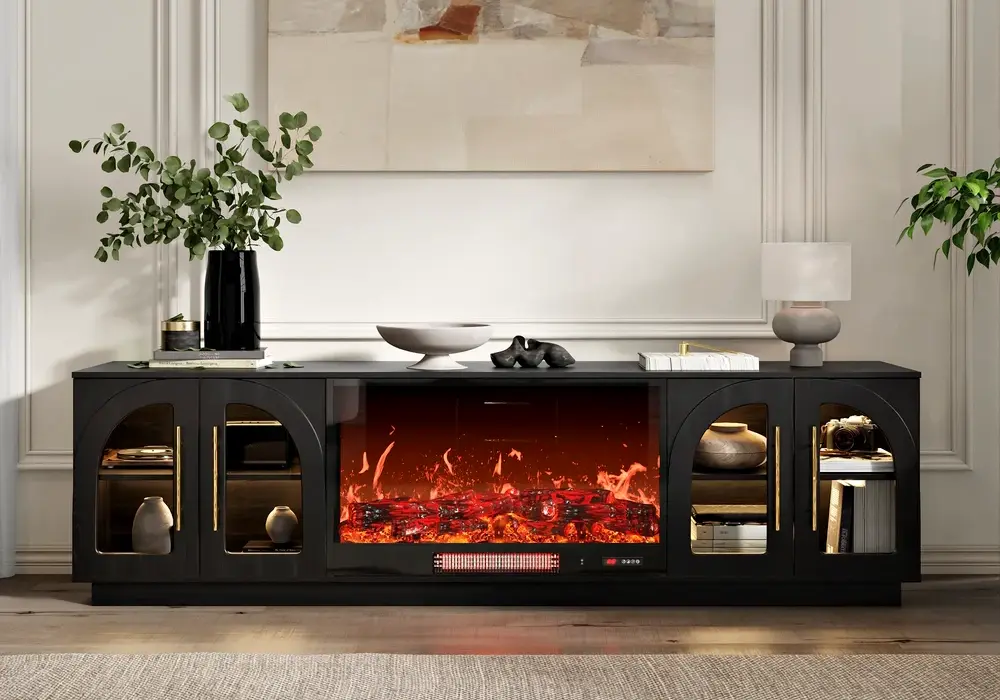
How to style it:
- Top, left end: a low trio: a stack of two coffee-table books, a small ceramic vase with a few dried stems, and a brass or stone tray holding the remote.
- Top, right end: leave it empty or place one slim table lamp, so the weight is balanced without matching.
- Behind the arched glass: a few cream or sand-colored boxes for controllers and chargers, so the doors show calm texture rather than cables.
- Echo the arch: hang an arched mirror on the side wall or choose a rounded floor lamp beside the sofa, so the shape travels through the room.
- Palette: warm neutrals (oatmeal, linen, soft brown) suit the ash tone and flame glow.
In real life: on a winter evening, switch on the flame effect, dim the room lights, and the console becomes the room's glow. During a movie, turn it off and the low, quiet top keeps the screen in charge.
Extendable console: let the wall decide the layout
Best for: a long living-room wall, an open-plan space, or a home where the TV size or furniture will change in a year or two.
The Quoint 1803–2540 mm LED Extendable Hidden Storage TV Stand has three drawers, a 381 mm depth, a 406 mm height, and a left- or right-oriented configuration. Its low profile suits a large TV and makes the wall feel wider.
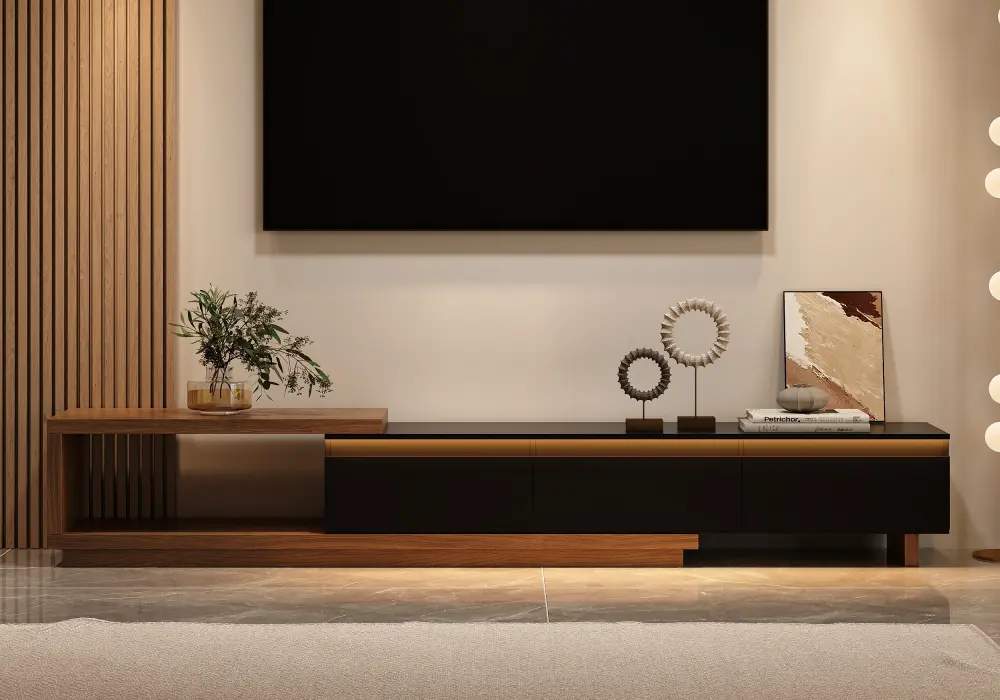
How to style it:
- Use the extra length as a display end. Extend the console so one side stretches past the TV, then place a single tall piece there, such as a floor-standing vase or a sculptural lamp.
- Drawers as the tidy-up system: one for remotes and controllers, one for cables and chargers, one for game discs, throws, or kids' items. The top stays clear of daily clutter.
- Frame it above: hang a wide, horizontal piece of art or a pair of narrow prints on the side with the lamp, so the visual weight reaches the ceiling without crowding the screen.
- Accent light: use the LED strip as the room's evening light, and keep any lamp in the corner at a low setting to avoid reflections on the screen.
- Rug: a rug that extends slightly beyond the console's width ties the whole wall together.
In real life: in a rental apartment with a long wall, set it to full length for a 1905 mm TV. If you move to a smaller space later, retract it and the same piece works in a studio, with just a small tray and one plant on top.
Glass-front console: style inside, keep the top calm
Best for: people who like books, ceramics, and travel finds, and want a living-room wall that looks curated even with the TV off.
The 2007 mm Walnut Veneer Glass Door LED TV Stand is 2007 mm wide, 457 mm deep, and 533 mm high, with a flip-down glass front, integrated lighting, and pre-drilled cable management holes. The warm walnut tone and lit compartments let the cabinet do the decorating.
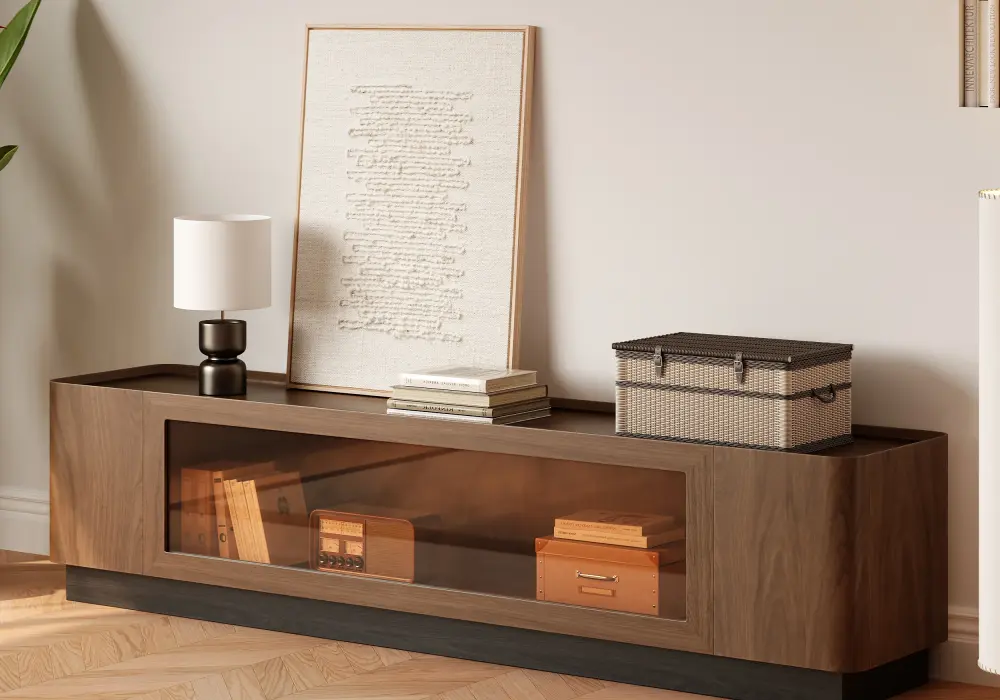
How to style it:
- Inside the glass: pick three to five objects per compartment: a horizontal stack of books, one ceramic bowl or vase, and one small framed photo. Leave a hand's width of empty space around each group so the light shows off shapes rather than crowding.
- Color rule: choose one accent from the room, such as olive, rust, or deep blue, and repeat it in two or three objects.
- Top: a single low object (a small plant or a wood tray) on one end. Nothing more.
- Cables: run them through the pre-drilled holes so the back stays tidy and the glass section looks intentional.
- Evening mode: turn on the cabinet lights and switch off the overhead light, so the walnut and ceramics glow while the TV plays.
In real life: in a home office-living room combo, this cabinet works as a bookcase and TV stand in one. Guests see a styled shelf, not a wall of electronics, and your everyday gear stays within reach in the lower compartments.
Build a balanced arrangement with a few objects
Balance doesn't need matching pairs. Pair a taller object on one side (a lamp, a tall vase) with a lower, wider group on the other (books and a bowl). Judge the result from the sofa, not by counting items.
A simple formula for any console: one tall + one wide + one small. For example, a ceramic vase, a stack of books, and a tray with a candle. Choose pieces with a reason to be there, such as a favorite photo, a useful tray, or a color that repeats in the room. If an item only fills a gap, take it away.
Check the arrangement after dark
Sit in your main seat with the screen and cabinet lights on. If you see reflections on the screen or bright spots behind the glass, move the lamp or dim the strip. You don't need every light on at once.
Live with the setup for a few days. Whatever gets moved, blocks the remote, or collects clutter tells you what to change. Usually the fix is better storage, not another accessory.
Frequently Asked Questions
What should I put on top of a media console?
A small object group (books, a vase, a tray), a personal photo, or a lamp at one end. Leave the area around the soundbar and sensors clear. A mostly empty top is also a good look, especially on a cabinet with a fireplace or glass doors.
How do I style a console under a large TV?
Keep objects low and place them toward the ends. Use the console's width as a calm base and echo one color or material from the room.
Should I use matching decorations at both ends?
No need. A tall lamp on one end and a low book stack on the other looks more relaxed than identical pairs. Check it from your seat.
Can I decorate a fireplace media console like any other cabinet?
Yes, with a lighter touch. The fireplace and arched doors are already the highlight, so keep the top simple, and don't hang textiles over the heater area.
How do I stop a media console from looking cluttered?
Give each item that piles up a home: remotes in a tray, cables in a drawer, controllers in a box. Then remove anything without a purpose.