

The best way to hide wires behind a TV stand starts with matching the stand to your setup. Some stands include a built-in cable opening, and others rely on a simple external route. Either can work if you disconnect and label the cables, keep plugs reachable, protect cords from pinching, and preserve the ventilation your equipment needs. When browsing TV stands and media consoles, check for dedicated cable management, accessible outlets, and space behind connected devices, then pick the cable plan that fits the stand you choose.
Start with the cables you actually need. A neat-looking bundle can still contain obsolete chargers, unused adapters, and excess lengths that make maintenance harder. Remove those first. Then separate the project into three areas: cables behind the screen, connections inside or beside the cabinet, and the route to the wall outlet. Each area may need a different solution.
Table of Contents
Map the connections before hiding anything
Turn off equipment according to its instructions and disconnect power before reorganizing the setup. Take a clear photograph of the existing connections, then label both ends of each cable with the device and destination. This is particularly helpful when several similar HDMI leads meet behind the cabinet.
List the devices that remain in use, including the television, soundbar, streaming box, game console, and any network equipment. Identify which cables carry power and which carry signal. You do not need to understand every technical specification to make a useful map, but you should know what each lead connects before moving it.
Measure the intended route instead of pulling each cable tight across the shortest distance. Leave a modest service loop where a device may need to move for access, while following its cable and connector requirements. Excess slack should stay controlled and accessible rather than hanging across ventilation openings or collecting beneath the cabinet.
Match your cable plan to the type of stand
Not every TV stand handles wires the same way, and that is fine. What matters is knowing which type you have and planning accordingly. The three stands below show three common situations.
Your situation | Example stand | Cable approach |
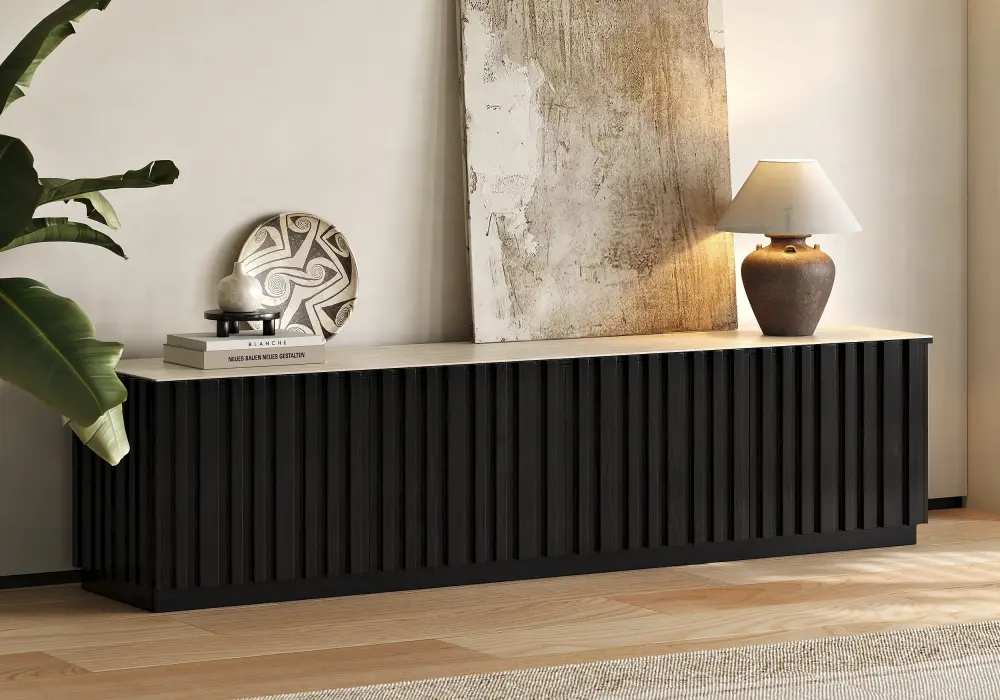
You want cables routed through the cabinet itself | Aura black fluted TV stand | Use the integrated cable management; check opening size and device clearances |
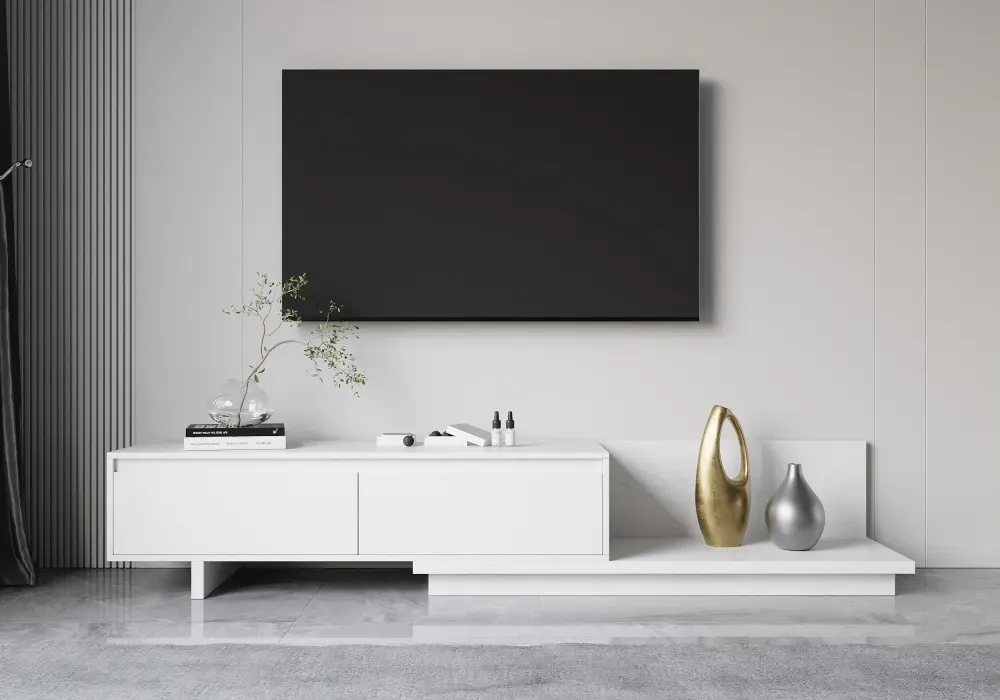
You have a mid-to-large TV and want a flexible layout | Fero 47–79-inch extendable stand | No built-in cable management; plan an accessible external route behind the stand |
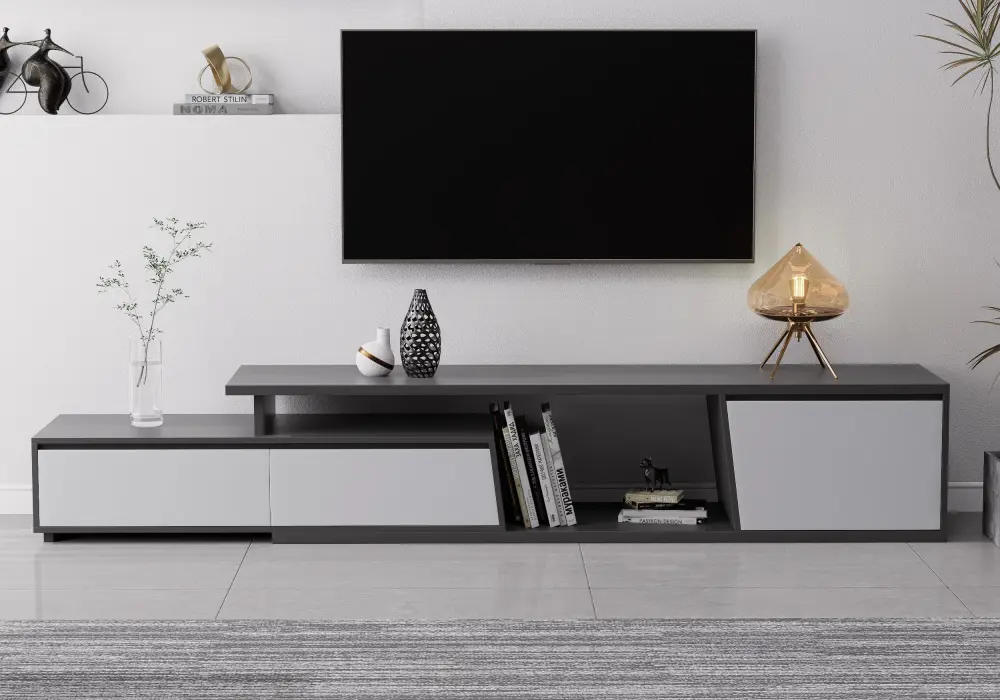
You have a very large screen and a lot of equipment | Fero 71–110-inch extendable stand | No built-in cable management; focus on slack that stays safe as the stand is adjusted |
If you want the route built into the cabinet
Inspect the rear of the cabinet using the manufacturer's instructions and a safe access position. Look for the designated opening, not a convenient-looking gap beside a hinge or drawer runner. Check whether the connector will pass through without forcing it and whether the device can sit in the compartment while maintaining its specified airflow.
The Aura black fluted TV stand with a sintered stone top lists integrated cable management. That makes it a useful starting point for a concealed route, but you still need to match the opening and compartment to your equipment. Check the rear layout and device clearances before assuming every media component can operate behind a closed door.
Do not drill additional holes simply because the existing route is inconvenient. The back panel may contribute to the structure, and the top or sides may contain materials that require specific tools or protection. Ask the manufacturer about approved modifications. A reversible external clip can be a better first step when it suits the surface and the route.
If you want a flexible layout and an external route
A stand without cable ports can still be tidy. It simply needs a planned route behind it. Check the product specifications explicitly rather than equating drawers with cable management: drawers are useful for storing spare accessories, but powered equipment still needs its own route and ventilation.
The Fero 47–79-inch extendable TV stand lists no built-in cable management, so plan an accessible external route behind it using suitable removable accessories where permitted. Its two drawers give spare chargers, adapters, and remotes a home, which helps with the first step of this guide: keeping only the cables in use on display. Keep cables away from the sliding or overlapping sections, and settle the final furniture configuration before deciding cable lengths.
If you have a very large screen and more equipment
Bigger setups usually mean longer leads and more devices, so slack management matters more. The Fero 71–110-inch extendable TV stand with three drawers also lists no built-in cable management. Because its length is adjustable, check that the leads do not become tensioned, trapped, or dragged when the stand is configured according to its instructions. Disconnect and rearrange equipment before changing the furniture position when necessary.
Keep the cable route independent of drawer travel. Open each drawer slowly while the equipment is disconnected and observe from outside the moving area. If a lead can catch on a runner or drop into the drawer path, change its support point. Do not rely on the drawer front to conceal a cable that is being compressed behind it.
Choose the solution for the visible section
Whichever stand you pick, the visible runs still need a plan.
Cable problem | Practical option | What to check |
Several loose leads behind a cabinet | Removable ties and cable clips | Suitable surfaces and no sharp bends |
Visible drop from a wall-mounted screen | Surface-mounted cover suitable for the intended cables | Product instructions, capacity, and access |
Cables inside a media compartment | Existing cable opening and supported route | Connector size and equipment ventilation |
Excess signal-cable length | Loosely organized service loop | Cable bend requirements and drawer travel |
Outlet too far from the setup | Review furniture position or outlet provision | Qualified electrical advice for permanent changes |
A sleeve can make a group of leads look simpler, but it does not change the electrical rating of a cord or make an unsuitable route acceptable. Similarly, a decorative box is not automatically appropriate for powered adapters. Use accessories according to their instructions, including any restrictions on heat, capacity, and the types of cables they can contain.
Keep power cords visible enough to inspect
The US Consumer Product Safety Commission advises against running cords under rugs and warns about cords pinched by furniture. Concealment should preserve inspection and avoid crushing, rather than bury a problem. Keep the TV stand far enough from the wall that plugs and connectors are not pressed sharply against it, while following the furniture and equipment instructions.
Do not run an ordinary TV power cord or extension lead through a wall cavity. For a wall-mounted television, have a qualified electrician assess an appropriate outlet or compliant power provision. A cover for signal cables does not authorize concealed mains wiring, and a tidy-looking DIY route is not evidence that it meets local electrical requirements.
If you use a power strip, follow its rating and instructions and the requirements of the connected equipment. Keep it accessible and do not daisy-chain strips. Do not seal warm adapters inside an unventilated container or pack them among stored textiles. Stop using damaged cords, loose connections, or equipment showing unusual heat, discoloration, or a burning smell, and obtain appropriate assistance.
Finish with access, airflow, and a realistic view test
Reconnect one device at a time and confirm that it works before tightening the final organization. A removable tie should control a bundle without crushing it. Check the device manufacturer's bend-radius guidance where supplied, and avoid forcing a connector sideways just to flatten the route.
Look from the sofa, doorway, and side of the room. A small adjustment to a supported cable run may remove the visible loop without moving the entire cabinet. Keep enough room to clean and inspect behind the stand, and preserve access to plugs for disconnection. Put a short connection list with the equipment documents so future changes are straightforward.
Finally, follow the television and furniture manufacturers' stability and anti-tip instructions. Cable ties are not restraints for the screen or cabinet. Organizing the wiring is one part of the setup, while secure installation remains a separate task.
Frequently Asked Questions
Do I need a TV stand with built-in cable management?
Not necessarily. A built-in opening gives you a ready-made route, which is convenient when you want cables inside the cabinet. A stand without one can still look tidy with an accessible external route, removable clips, and loose ties. Choose based on how many devices you have and how much of the route you want hidden, and check the product specifications before buying.
Can I hide a power strip inside a TV stand?
Only if the strip's instructions and the cabinet arrangement permit the placement, with access and adequate ventilation. Do not assume an enclosed drawer or decorative box is suitable. Check the connected load, keep cords away from moving parts, and avoid daisy-chaining strips or concealing warm adapters among stored items.
What if my TV stand has no cable holes?
Use an accessible external route with accessories suitable for the cabinet surface and intended cables. Check the rear space before buying. Ask the furniture manufacturer before drilling, because an extra opening can affect the structure, finish, or approved use of the cabinet.
Can I put TV wires under a rug?
Do not route power cords under rugs. CPSC guidance warns that covered cords can overheat or be damaged. Reposition the equipment, use an appropriate accessible route, or ask an electrician about permanent outlet provision rather than hiding the cord beneath a floor covering.
How do I hide the wires below a wall-mounted television?
A suitable surface-mounted cable cover can organize the visible drop when used as instructed. Treat mains power separately from signal routing. Do not push an ordinary power cord into the wall; obtain qualified advice for the electrical provision behind a mounted screen.
Should I tighten all the cables into one small bundle?
No. Organize them loosely enough to avoid crushing, sharp bends, and connector strain. Keep the route inspectable and allow the service access the equipment needs. Labeling and a few well-placed supports are often more useful than a dense bundle that must be cut apart for every change.