

Most media consoles run roughly 457 to 711 mm tall, but the number that matters is where the screen center ends up: it should sit close to your seated eye level. A media console should be tall enough to provide useful storage while placing a tabletop television at a comfortable viewing height. Start with your seated eye level, the screen's height, and the distance from the console top to the bottom of the screen. When comparing TV stands and media consoles, use those measurements to estimate the resulting screen-center height. A wall-mounted television can be positioned independently, so its console height becomes more of a storage and room-layout decision.
There is no single TV stand height that works for every television and sofa. A taller screen raises its center more than a smaller screen on the same furniture, and a TV's feet can add another difference. The number printed beside a console's height tells you only where the furniture ends, not where the picture will sit.
A common rule of thumb is to place the screen center near your eye level when seated. Use it to test your setup rather than buying from a cabinet-height range alone.
Table of Contents
Measure Your Eye Level From the Seat You Actually Use
Sit where you normally watch television, with the cushions and posture you ordinarily use. Have someone measure from the floor to your eyes. Do not substitute the sofa's seat height or a standing eye-level measurement. For reference, many adults on a standard sofa land somewhere around 1016 to 1168 mm from the floor, with a low-slung sofa at the bottom of that range, so treat it as a ballpark and replace it with your own number.
Repeat the check for another regular viewer if the household shares the room. The useful result may be a compromise, particularly when people have different heights or use different seats. Write down the range rather than treating one person's measurement as universal.
If your sofa reclines, test the screen location from the position you use for most viewing as well as upright. Your head position and gaze change as the back moves, and a reclined posture doesn't automatically justify a higher television.
Mark the proposed screen center on the wall with a removable marker suitable for the finish. Look at it during a normal seated session to see whether the measurement fits the way you use the room.
Calculate TV Stand Height From the Screen Center
For a tabletop television, use this relationship: screen-center height equals console height, plus the distance from the console top to the visible screen's bottom edge, plus half the visible screen height. Use measurements for the exact television with its approved stand installed.
The distance beneath the screen can include the feet and any lower frame area before the visible picture begins. Measure consistently: if you use the visible picture's height, measure to its bottom edge too, rather than mixing a cabinet dimension with half the outside TV height.
For an illustrative setup, suppose the desired screen center is 1067 mm above the floor, the visible screen is 762 mm high, and its bottom edge sits 102 mm above the console. The estimated console height is 1067 minus 381 minus 102, or 584 mm. Replace every number with your own measurements.
To save you some arithmetic, here is the same calculation for three common 16:9 screen sizes, assuming a 102 mm gap between the console top and the visible picture:
TV size | Visible screen height (approx.) | Console height for a 1067 mm screen center | Console height range for a 1016–1168 mm screen center |
55" | 686 mm | about 622 mm | 572–724 mm |
65" | 813 mm | about 559 mm | 508–660 mm |
75" | 940 mm | about 495 mm | 445–597 mm |
Bigger screens call for lower consoles, because more of the picture sits above the center line. If your TV's feet raise the screen more or less than 102 mm, adjust the result by the difference.
Match TV Stand Height to Your TV and Seating
The three consoles below are all large, so the useful question is which TV and seating each one suits. The figures use the same 102 mm bottom gap as above.
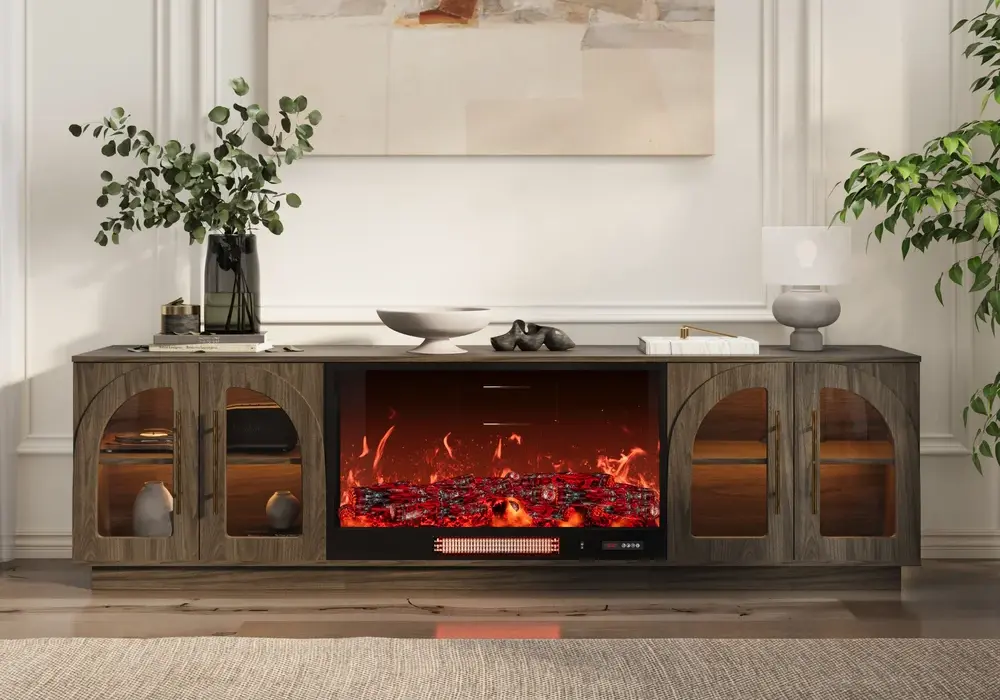
The Arune 2032 mm ash-veneer electric fireplace TV stand lists a 584 mm overall height. That puts a 65-inch screen center at roughly 1092 mm, which fits most standard sofas, and a 55-inch or 75-inch TV lands near 1016 or 1143 mm. It suits a living room built around one focal wall, though the fireplace brings its own placement and operating requirements, so check the appliance manual before planning the TV and nearby equipment.
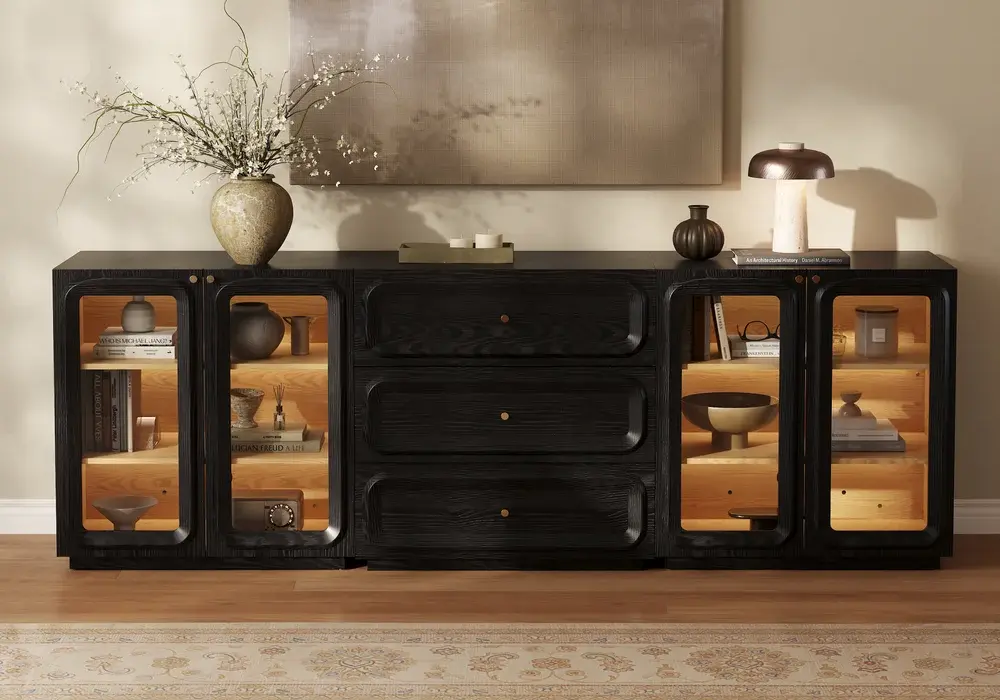
The Larvo 2032 mm TV stand with a sintered-stone top lists a 559 mm overall height, 25 mm lower than the Arune. A 65-inch TV centers at about 1067 mm here, and a 75-inch TV at about 1118 mm, so it is a good match for large screens and for lower or deeper sofas where a slightly lower picture feels more natural. With the same TV, that 25 mm difference simply lowers the screen center by 25 mm.
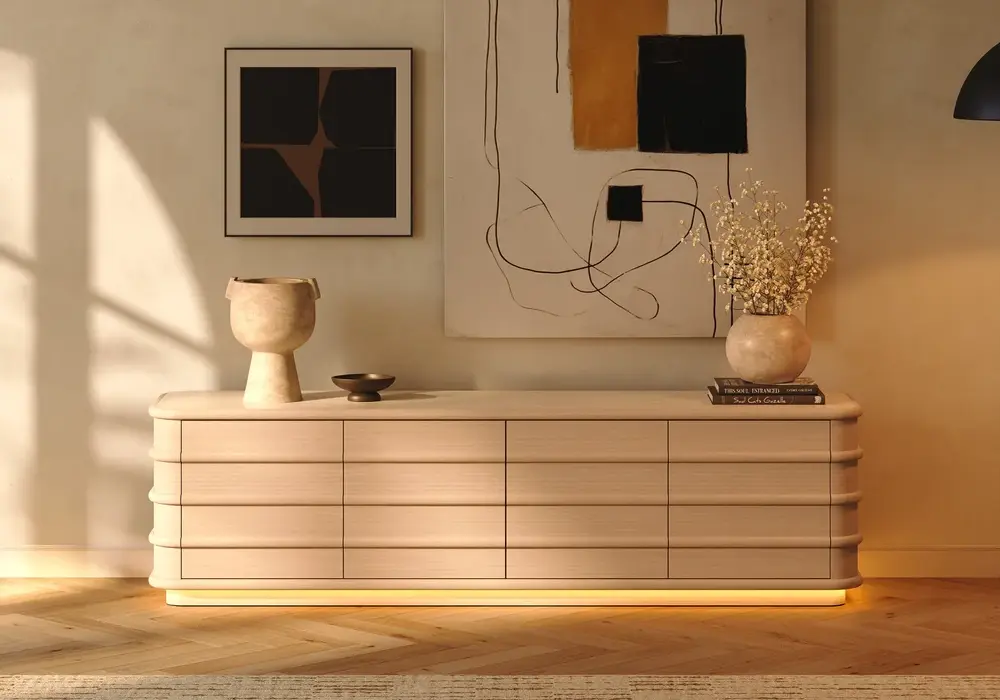
The 2388 mm ash-veneer LED hidden-storage TV stand has a listed overall height of 813 mm, so it works best as a storage-first piece, ideally with the TV wall-mounted above it. If a 55-inch TV rested on a 813 mm surface, its center would sit near 1270 mm, above typical seated eye level.
Height is only one part of the choice. Width, depth, storage, load rating, and the TV's footprint are separate decisions, and a good viewing height can't make up for a surface that isn't meant to carry a television.
Tabletop vs. Wall-Mounted: What Sets the Screen Height
With a tabletop TV, console height, stand offset, and screen height together set the screen center. With an independently wall-mounted TV, the mount position sets it, and the console only affects storage access and the visual gap below the screen. In that case, test the viewing height first, then look at the space beneath. If the cabinet forces the screen too high, you may need a different cabinet rather than a higher screen.
Likewise, don't add an improvised platform to a tabletop setup just to fix the height. Use approved furniture and stand configurations so the support stays stable.
Plan a Soundbar Without Pushing the Screen Too High
A soundbar can occupy space between the cabinet and screen, but where it fits depends on the exact TV and audio product. Check the screen's bottom edge, remote sensor, and the soundbar's instructions before assigning a gap.
Measure the soundbar's height and depth in its intended position. If it blocks the picture or sensor, look at a compatible mounting option or a different placement before raising the whole setup.
Leave room for cable access and ventilation, and keep vents clear of decorative objects. Mocking up the screen, stand or mount, audio equipment, and console together makes the height decision more realistic than comparing cabinet heights alone.
Balance Storage Access With the Viewing Position
A very low cabinet can suit a low visual composition, but consider how you will use its drawers and doors, especially if you regularly retrieve equipment or accessories. A taller piece isn't automatically more useful, so look at the actual compartment dimensions and shelf adjustment.
Decide which items belong near the TV. Manuals, spare cables, and occasional accessories rarely need to be within reach of the sofa, and moving them elsewhere can make a lower, simpler console practical.
This is also a good point to edit display objects. A tall vase beside a low screen can interrupt sightlines, so keep the area organized around viewing and equipment first.
Test the Proposed Height at Full Scale
Tape the television's outline on the wall, using the exact intended bottom edge and height, and mark the screen center clearly. Sit in the main viewing positions and look at the whole outline.
For the console, use a wall marking or a safe, lightweight mock-up. Never place a television on an unstable stack for testing; the goal is to judge proportion and sightlines.
Check the setup in daylight and evening lighting, since reflections and nearby lamps affect where the screen works best. Finally, view the arrangement from the doorway: a height that works from the sofa should also sit well with the room's other furniture. If storage and viewing needs pull in different directions, revisit the console type or mounting plan before buying.
Complete the Installation Checks
Once the height is selected, verify the furniture's intended use, the TV base footprint, and the weight capacity, following the TV, console, and mounting instructions.
The CPSC's Anchor It guidance recommends securing televisions and furniture as instructed. A low cabinet can still tip, so anchor it whether the television rests on the furniture or is mounted independently.
For fireplace furniture, get the exact appliance manual and confirm the permitted TV and equipment arrangement rather than inferring it from a similar-looking cabinet. Finish those checks before using any heating function.
Frequently Asked Questions
What is the standard TV stand height?
There is no single standard, but many TV stands and media consoles fall between roughly 457 and 711 mm. The right height depends on your TV size, its stand offset, and your seated eye level. For a 65-inch TV and a 1067 mm target screen center, about 559 mm works.
How tall should a TV console be for a 65-inch TV?
Around 508 to 660 mm suits most 65-inch TVs when the screen center should land between 1016 and 1168 mm, assuming a 102 mm gap under the picture. Check your TV's actual feet height and test from your seat.
How high should a TV be above a console?
For a tabletop TV, the bottom edge sits wherever the feet or stand place it, often a few inches above the console top. If you add a soundbar, leave room for its height and for ventilation and the remote sensor, and check the soundbar's instructions.
Should the TV's bottom edge be at eye level?
No. The common reference is the screen center near your seated eye level, not the bottom edge. Test the full screen outline from your regular seat, since preferences and seating positions vary.
Does a wall-mounted TV need a low console beneath it?
Not necessarily. The screen can be positioned independently while the console serves storage and visual composition. Just make sure the cabinet doesn't force the screen above the comfortable position you established.
Can I calculate height from the advertised TV size?
Not on its own. Diagonal size doesn't give every measurement you need. Use the visible screen height and the installed stand's offset, and confirm that any manufacturer drawing matches your exact TV and stand setting.